
Getting us access to your Enphase System.
To begin monitoring your solar system, we need to be added to your Enphase account. Below are the 5 steps you will need to do.
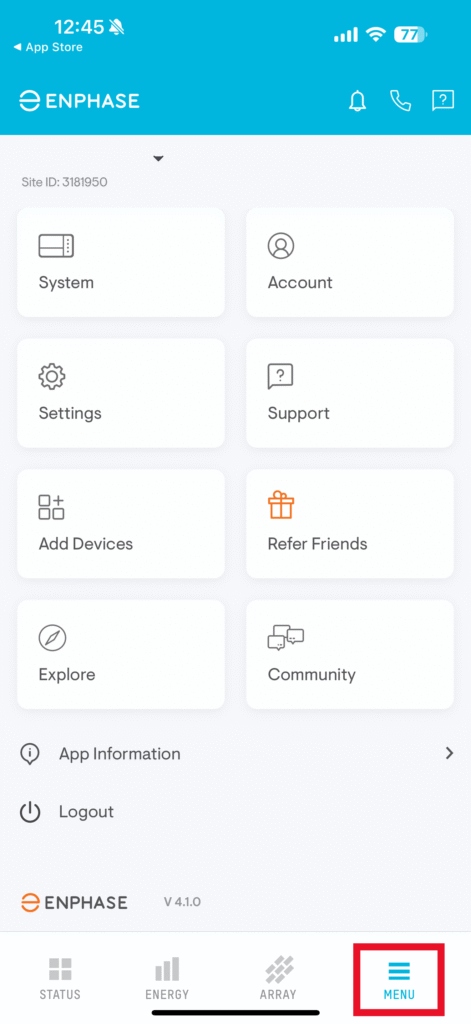
Step 1: Login to you Enphase Enlighten App and click on “Menu” in the bottom right.
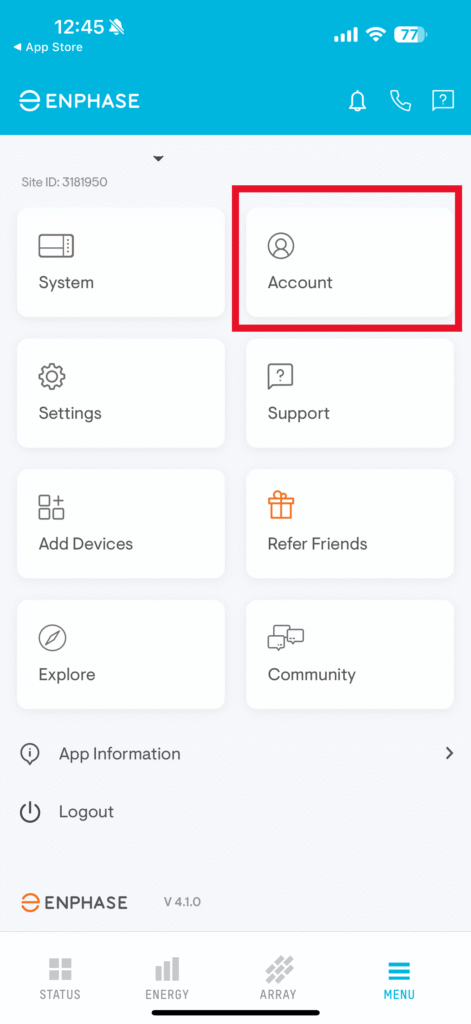
Step 2: Click on the “Account” box.
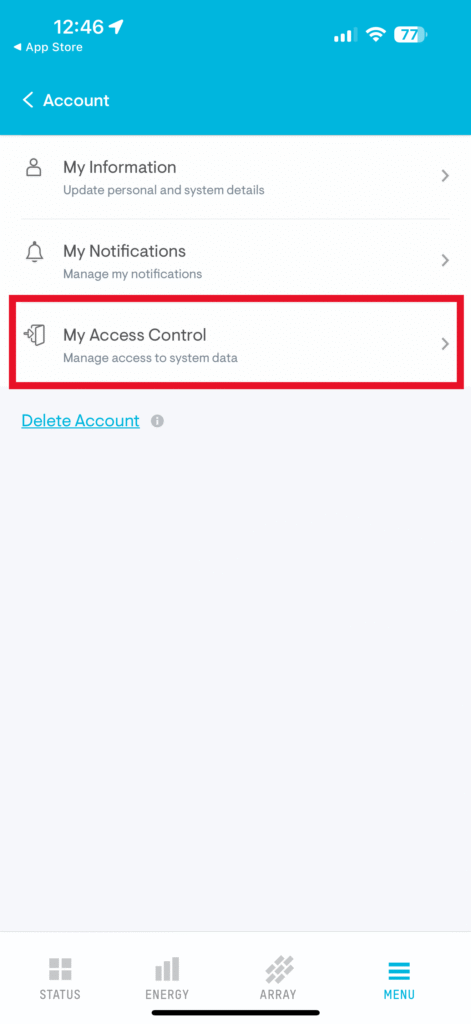
Step 3: Click on “My Access Control”
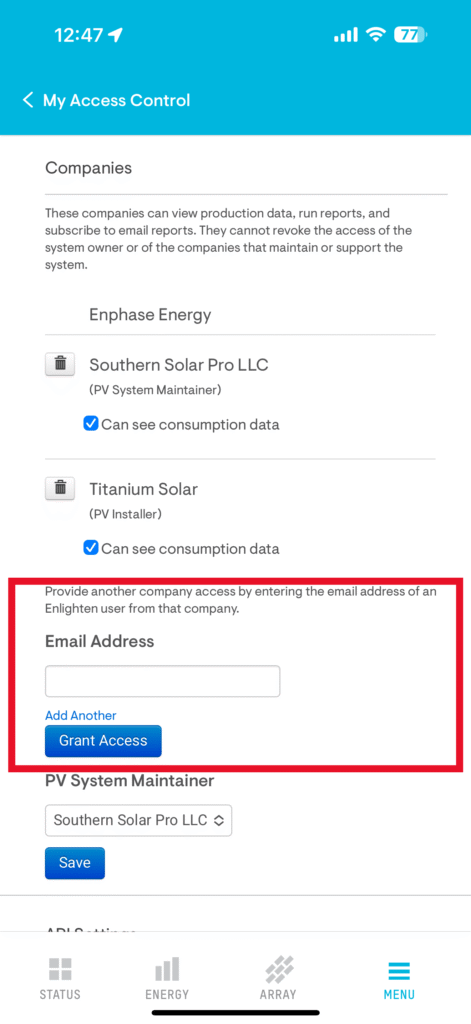
Step 4: IMPORTANT…Scroll past the first user access setting and go down to Companies.
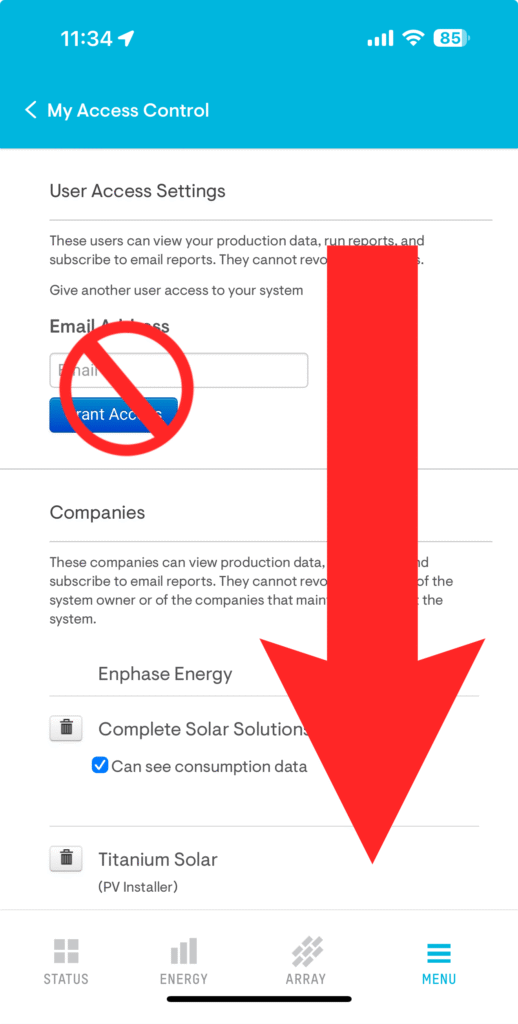
Step 5: Add kasey@completesolarsolutions.com as the email address under companies and click Grant Access.
If you run into any issues please give us a call at (706) 233-0814